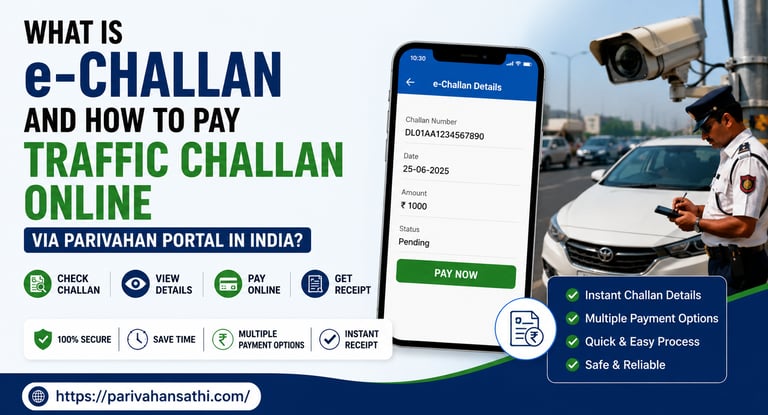
What Is e-Challan and How to Pay Traffic Challan Online via Parivahan Portal in India?
Got a Traffic Challan? Here Is Everything You Need to Know
If you have ever driven a vehicle in India, chances are you have encountered a traffic challan, whether it was a policeman stopping you at a signal or a notification appearing on your phone after a camera caught your vehicle overspeeding on a highway. Traffic enforcement in India has gone almost entirely digital, and e-Challan is at the centre of this transformation.
An e-Challan (electronic challan) is a digitally issued traffic violation notice in India. Instead of a paper slip, you now receive a notification linked to your vehicle's registration number or driving licence number in the Parivahan system. You can pay it online in minutes, no queues, no cash, no hassle.
But many people still do not know how to check if they have a pending challan or how to pay it. Unpaid challans can lead to serious consequences, including vehicle impoundment and legal notices. This guide tells you everything.
What is e-Challan?
e-Challan is the digital version of the traditional traffic fine slip in India. It is issued through the National e-Challan System operated by the Ministry of Road Transport and Highways (MoRTH) and is accessible via the Parivahan portal at echallan.parivahan.gov.in.
When a traffic police officer detects a violation, whether through manual interception, CCTV surveillance cameras, speed radar guns, or automated number plate readers, they record the offence digitally and issue an e-Challan linked to your vehicle registration number. The challan appears in the centralised Parivahan database, which means it follows the vehicle, not just the person.
Common traffic violations for which e-Challans are issued in India include:
• Overspeeding on highways and city roads
• Jumping red lights at traffic signals
• Driving without wearing a helmet (two-wheelers)
• Not wearing a seatbelt in a four-wheeler
• Using a mobile phone while driving
• Driving without a valid driving licence or vehicle documents
• Wrong-side driving or illegal U-turns
• Overloading of commercial vehicles
How to Check Pending e-Challan by Vehicle Number
Before you pay, you need to first check whether your vehicle has any pending challans. Here is how to do it on the Parivahan portal:
1. Open your browser and visit: echallan.parivahan.gov.in
2. Click on 'Check Challan Status' on the homepage.
3. You will see three search options: by Challan Number, by Vehicle Number, or by Driving Licence Number.
4. Select 'Vehicle Number', enter your vehicle's registration number (e.g., RJ14CD1234), and enter the Captcha code shown.
5. Click 'Get Detail', and all pending and paid challans linked to your vehicle will appear on the screen.
The results will show the date of the offence, the nature of the violation, the fine amount, and the current payment status. If a challan shows 'Pending', you need to pay it.
How to Pay Traffic Challan Online via Parivahan Portal
Paying an e-Challan online via the Parivahan portal is quick and straightforward. Follow these steps:
6. Go to echallan.parivahan.gov.in and click on 'Pay Now' under the pending challan.
7. You will be redirected to a payment page. Verify the challan details: vehicle number, offence type, fine amount, and RTO name.
8. Choose your preferred payment method: Debit Card, Credit Card, Net Banking, or UPI.
9. Complete the payment. You will receive an OTP on your registered mobile number for verification.
10. After successful payment, download the payment receipt immediately. You will also receive a confirmation SMS.
Important: Always save or screenshot the payment confirmation. In rare cases, the portal may not update the payment status immediately, and your receipt is your proof of payment.
Can I pay the e-Challan via the mParivahan App?
Yes. The mParivahan app, available on Android and iOS, supports e-Challan payments directly from your smartphone. Open the app, go to 'e-Challan' in the menu, enter your vehicle number or DL number, and follow the steps to check and pay. This is especially convenient for commercial vehicle owners and fleet operators who need to track multiple vehicles.
What Happens If You Do Not Pay an e-Challan?
Ignoring an e-Challan is not a good idea. Here is what can happen if you leave traffic fines unpaid in India:
• Your vehicle's RC (Registration Certificate) may be put on hold, preventing renewal or transfer of ownership.
• At the time of insurance renewal, your insurer may flag pending challans.
• Traffic police at checkpoints can check your vehicle number in the system and ask for pending challans to be paid on the spot.
• In serious violation cases, a court notice may be issued under the Motor Vehicles Act.
It is always better to pay promptly. Fine amounts increase significantly if not paid within the stipulated time frame, especially after court summons are issued.
e-Challan Issued in Error? Here Is How to Dispute It
Sometimes, an e-Challan may be issued incorrectly, perhaps due to a misread number plate, a system error, or a violation that was not actually committed. In such cases, you have the right to contest the challan. Here is how:
11. Visit your nearest RTO or traffic police station with the challan details and your vehicle documents.
12. Submit a written objection explaining why the challan should be cancelled.
13. Alternatively, on the echallan.parivahan.gov.in portal, some states offer an online dispute option in the challan status page.
14. If the matter is escalated to court, attend the hearing with relevant proof (dashcam footage, photos, etc.).
Frequently asked questions
What is an e-Challan in India?
An e-Challan is a digitally issued traffic violation notice in India, linked to your vehicle number or driving licence in the Parivahan system. It replaces the traditional paper challan and can be paid online.
How to pay traffic challan online in India?
Visit echallan.parivahan.gov.in, search by your vehicle number or challan number, and click 'Pay Now'. You can pay via UPI, debit/credit card, or net banking.