How to Check RC Status by Vehicle Number Online Complete Vahan Portal Guide for Indian Vehicle Owners
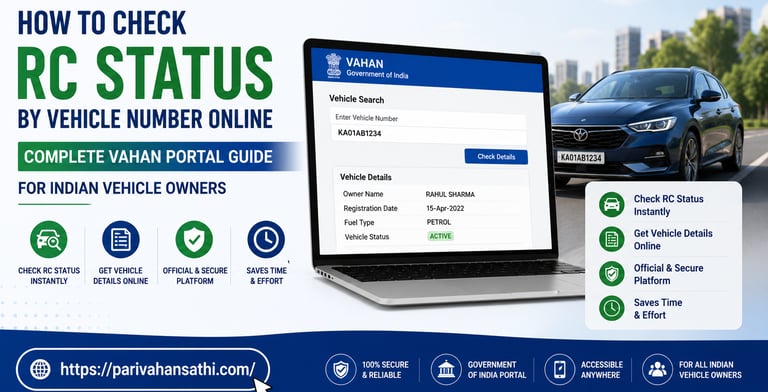
Why You Need to Check Your Vehicle RC Status
Every vehicle on Indian roads is required by law to have a valid Registration Certificate, commonly known as the RC. Whether you drive a two-wheeler, a car, a commercial truck, or an auto-rickshaw, the RC is your vehicle's identity card. It proves that your vehicle is legally registered with the concerned Regional Transport Office (RTO) and is authorised to ply on public roads in India.
But life happens. RCs get lost. People buy used vehicles and are unsure whether the registration is clear or has any pending issues. Sometimes you apply for an RC renewal and want to track if it has been processed. Or maybe you are a buyer doing due diligence before purchasing a second-hand car in India and want to verify whether the vehicle has any hypothecation (loan), blacklisting, or stolen vehicle status.
The good news is that all of this can be checked online within seconds using the official Vahan Parivahan portal. Here is a complete guide on how to check RC status by vehicle number in India.
What Is the Vahan Portal?
The Vahan portal (vahan.parivahan.gov.in) is the official vehicle registration database of India, maintained by the National Informatics Centre (NIC) and the Ministry of Road Transport and Highways (MoRTH). It contains records of all vehicles registered across India, linked to their respective RTOs.
Through the Vahan portal, Indian vehicle owners and buyers can:
• Check vehicle RC status by number plate
• Verify vehicle registration details (engine number, chassis number, fuel type, owner name)
• Check insurance and pollution certificate (PUC) validity
• Verify hypothecation (loan) status
• Check HSRP (High Security Registration Plate) status
• Check the NOC and blacklisting status of a vehicle
How to Check RC Status by Vehicle Number on Vahan Portal
Here are the exact steps to check your vehicle RC status online:
1. Open your web browser and go to: vahan.parivahan.gov.in/vahanservice
2. On the homepage, click on 'Know Your Vehicle Details' or look for the 'Vehicle Search' tab.
3. Enter your vehicle registration number exactly as it appears on the number plate (e.g., MH12AB1234 or DL3CAF5678).
4. Enter the Captcha verification code shown on the screen.
5. Click on 'Search Vehicle' or 'Vahan Search'.
6. The RC details of your vehicle will be displayed on the screen.
The information displayed typically includes the registration number, owner name, vehicle make and model, registration date, RC validity/expiry date, insurance validity, PUC validity, fuel type, engine and chassis number, and the name of the financing company if the vehicle is under a loan.
How to Check RC Status via SMS
If you do not have access to the internet at the moment, the Vahan system also allows you to check basic vehicle details via SMS. Send an SMS in this format:
VAHAN <Vehicle Registration Number> Send to 7738299899
For example: VAHAN MH12AB1234 Send to 7738299899
You will receive an SMS reply with basic registration details of the vehicle. This service is particularly handy when you are at a used car lot or in a place with poor internet connectivity.
How to Check RC Status Using the mParivahan App
The mParivahan app is another official and very convenient way to check RC status on your smartphone:
7. Download the mParivahan app from the Google Play Store or the Apple App Store.
8. Open the app and tap on 'RC' on the home screen.
9. Enter the vehicle registration number.
10. Tap 'Search', and the complete RC details will be fetched instantly.
You can also store the digital RC of your vehicle in the mParivahan app. This digital RC is legally acceptable at traffic checkpoints across India under Rule 139A of the Central Motor Vehicles Rules.
What Details Can You Verify from RC Status Check?
Checking RC status is not just for knowing if your registration is valid. Here is how different people use this feature:
For Used Car Buyers in India
Before purchasing a second-hand vehicle, always check its RC status on the Vahan portal. Look out for: whether the RC is active or has been cancelled, whether there is a hypothecation (bank loan) still active on the vehicle, whether the vehicle is blacklisted or has a court order against it, and whether the odometer reading is consistent with the age of the vehicle.
For RC Renewal Tracking
After applying for RC renewal at your RTO, you can track whether the renewed RC has been updated in the Vahan database and whether it has been dispatched to your address.
For Insurance and PUC Verification
The RC status page also shows whether the vehicle's insurance and Pollution Under Control (PUC) certificate are valid, critical information for avoiding traffic challans.
RC Validity: How Long Is an RC Valid in India?
For new vehicles in India, the Registration Certificate is initially valid for 15 years from the date of registration. After 15 years, the RC must be renewed every 5 years. Commercial vehicles have different renewal cycles. Failure to renew the RC makes the vehicle unfit to ply on public roads and can result in a traffic challan.
Frequently asked questions
How to check RC status by vehicle number online?
Visit vahan.parivahan.gov.in, click 'Know Your Vehicle Details', enter your vehicle registration number and captcha, and click 'Search Vehicle' to see the complete RC status.
Can I check the vehicle RC status without the registration number?
No, the vehicle registration number (number plate) is mandatory to search RC details on the Vahan portal. Engine or chassis numbers can be used as alternate identifiers at the RTO level.
Is the mParivahan app digital RC legally valid in India?
Yes. The digital RC stored in the mParivahan app is legally valid and accepted by traffic police across India under Rule 139A of the Central Motor Vehicles Rules.
How do I know if a used car's RC is clear before buying?
Check the vehicle's registration number on the Vahan portal. Look for active hypothecation (loan), blacklisting status, and RC validity. You can also check whether the RC name matches the seller's identity.
What does 'RC Expired' mean on the Vahan portal?
It means the Registration Certificate has expired and needs to be renewed at the RTO. Driving with an expired RC is a punishable offence in India.